
Every visit. In order. By cleaner. On one map.

Every cleaning pinned and numbered in each cleaner's order, so a long drive or a cleaning nobody has stands out before anyone sets off. At your desk or on your phone.

A walkthrough is a call with the people who build WellKept.

A cleaning company owner leaning on the railing of a hilltop lookout above town at sunrise, coffee in one hand, checking the day on her phone
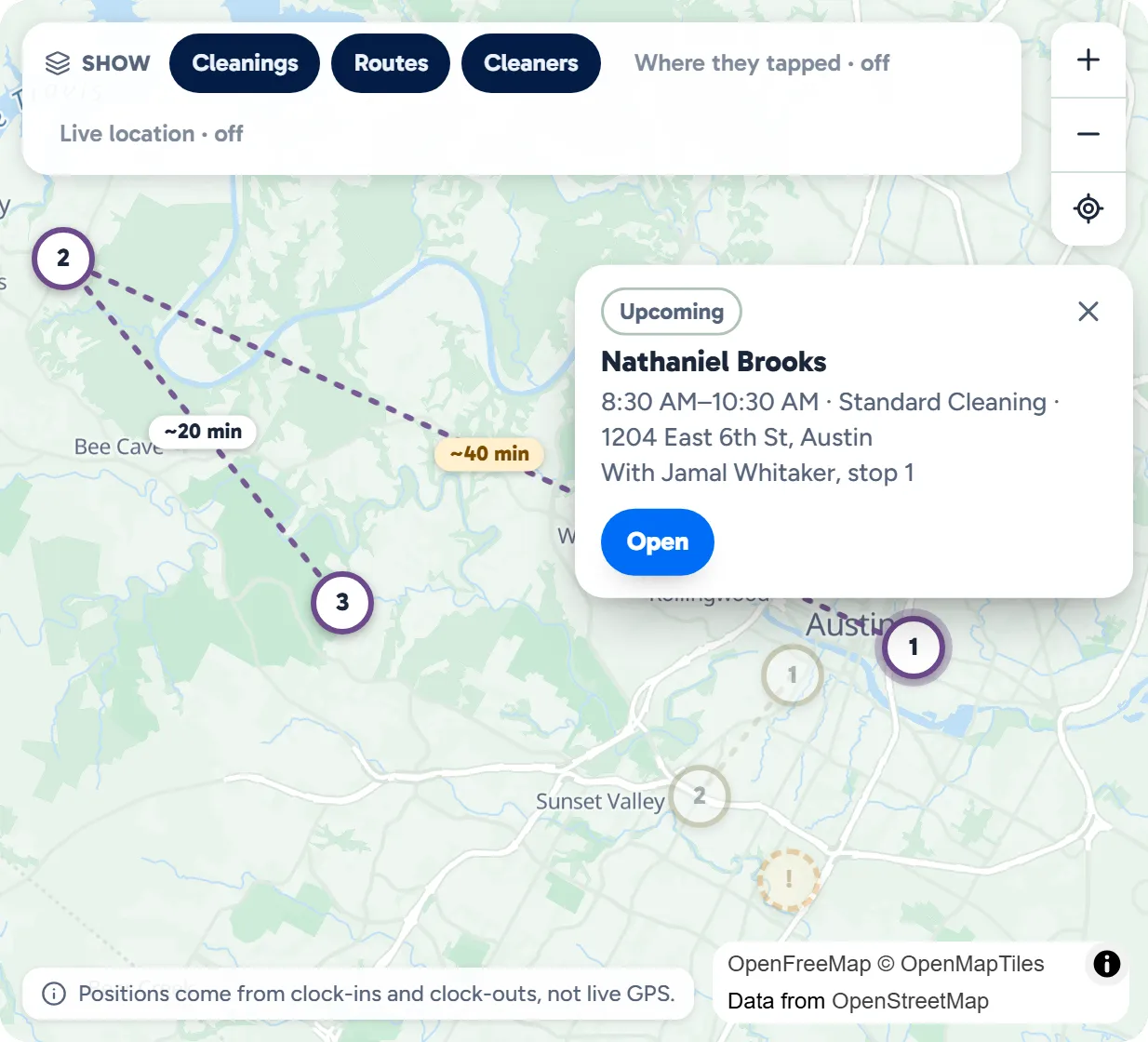
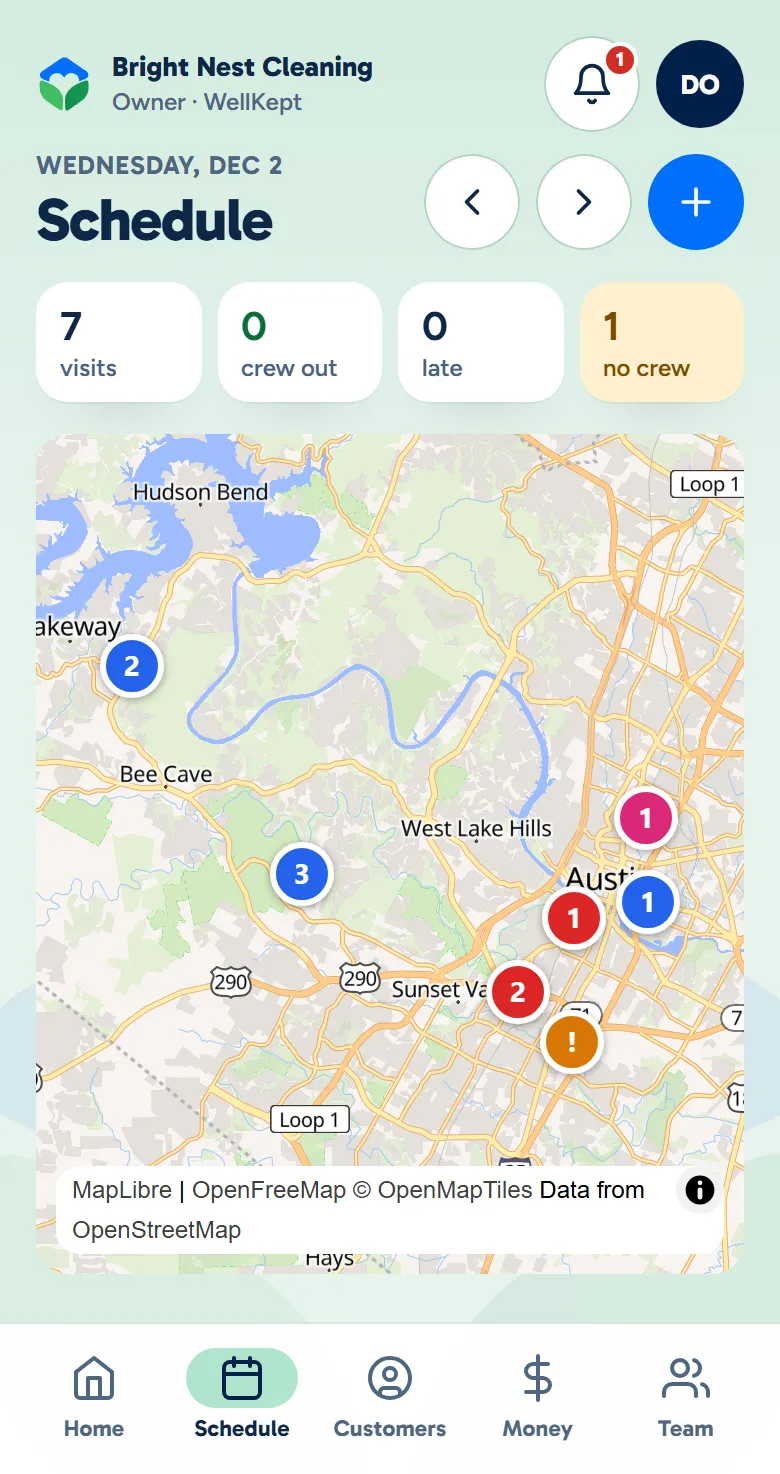
The owner app's Schedule on a phone: one day's seven cleanings on a map, numbered in each cleaner's order, one with no cleaner yet
Example data

Spot the long drive before it happens.

Here is one day for three cleaners, from the whole map to the one cleaning nobody has yet. Tap the dots on the screens to see what each part does. The screens are the real product with example data.

The owner at her desk, looking over the day on her laptop
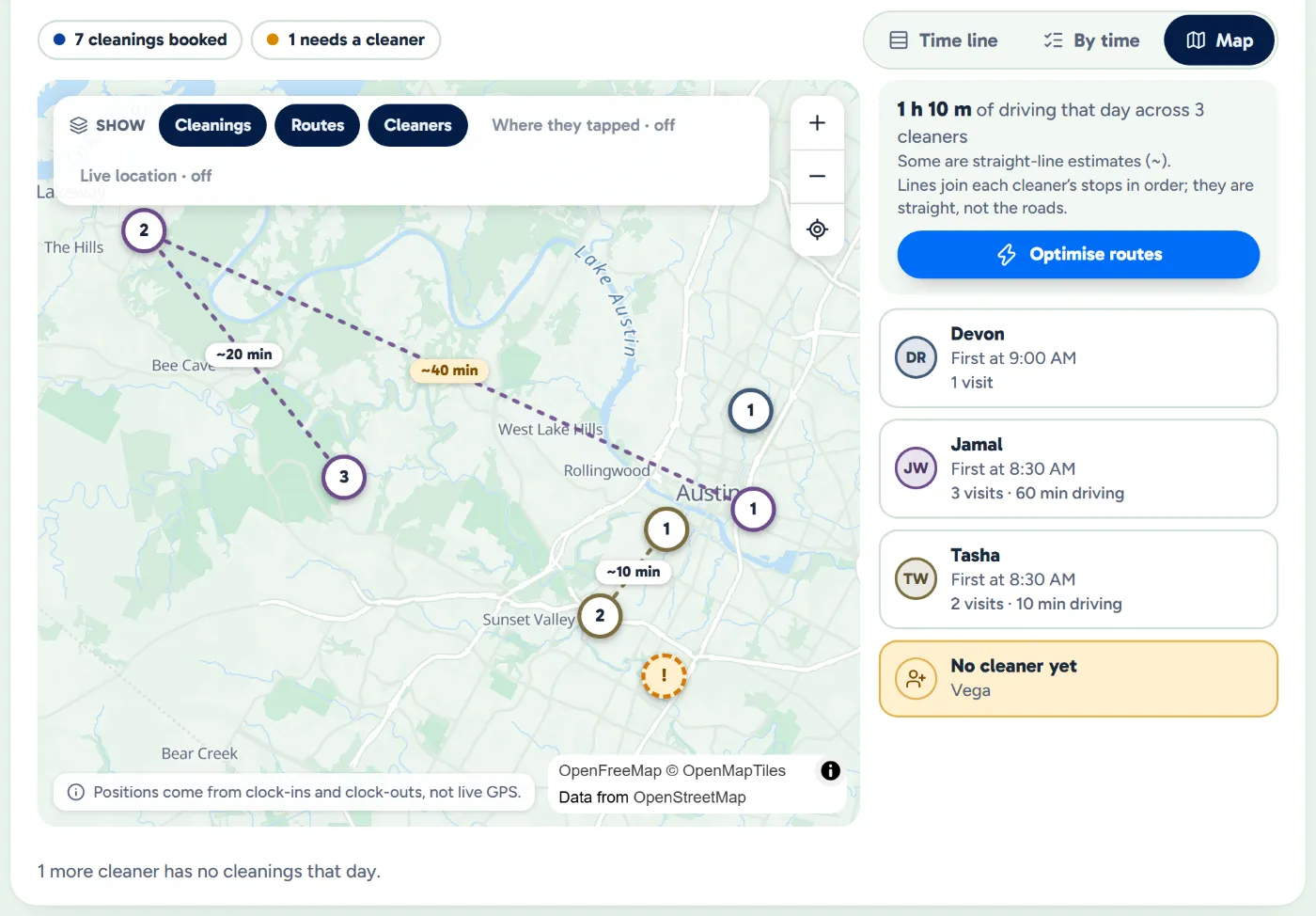
The Schedule's day map: seven cleanings numbered in each cleaner's order and colour, with the one nobody is on yet in amber
Example data

See the day

Every cleaning on one map, numbered in each cleaner's order, so you see who goes where.

  • Numbered in order. Each pin is that cleaner's first, second or third stop, in their own colour.
  • The drive, stop to stop. The Schedule's Dispatch board shows each cleaner's drive from one cleaning to the next, in minutes.
  • Any day you pick. Step to any day on the Schedule and the map shows that day.
A cleaner driving the company van along a winding road through green hills, his supplies in the back
The day map showing one cleaner's stops numbered in order, a tight gap between two of them, and one stop's time and address
Example data

Follow one cleaner

Each cleaner's pins are in their colour and count up from 1, so one person's day reads in order.

  • A tight gap turns amber. When the time between two cleanings is shorter than the drive plus your buffer, WellKept flags it as a tight gap.
  • The stop on its own. A cleaning far from the rest is plain to see before anyone drives to it.
  • Change it from the pin. Tap a pin to open that cleaning, with its time, address and who has it, then move it or give it to someone else.
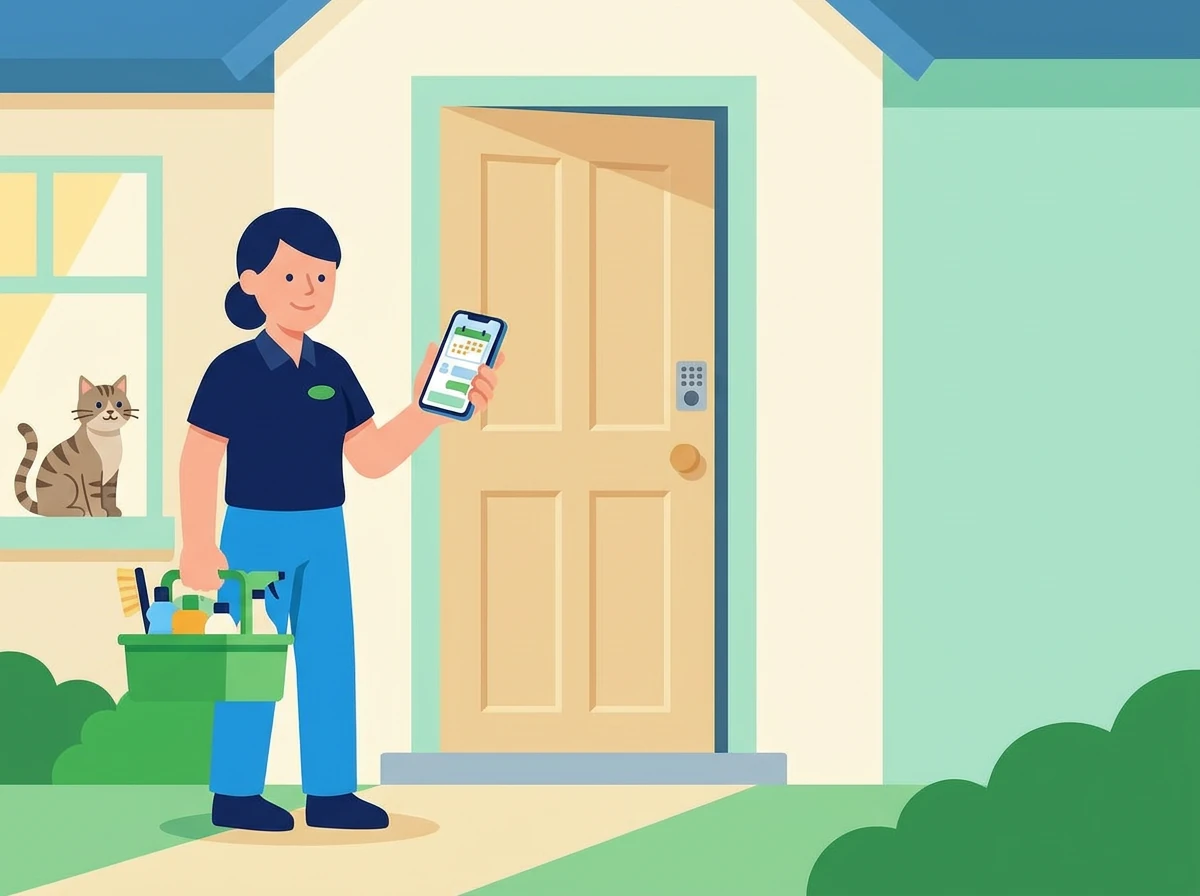
A cleaner at a customer's front door with her phone and her supplies while the cat watches from the window
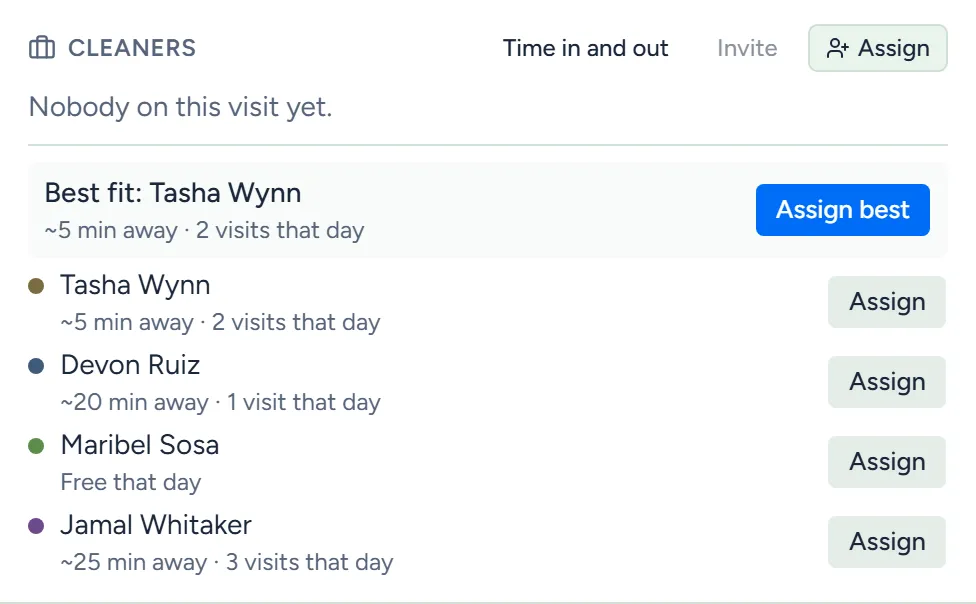
The cleaning's crew panel ranking who could take it: best fit first, minutes away and who is free that day
Example data

Cover the open one

A cleaning nobody has is amber. Open it from its pin, press Assign, and WellKept ranks who could take it.

  • Best first, with reasons. Everyone is ranked by who the customer prefers, who cleaned there last, the drive and how busy they are, and each row says why.
  • One tap. Assign best puts the top of the list on it.
  • Already booked? Someone booked elsewhere at that time is flagged, with the reason.

Nothing to set up.

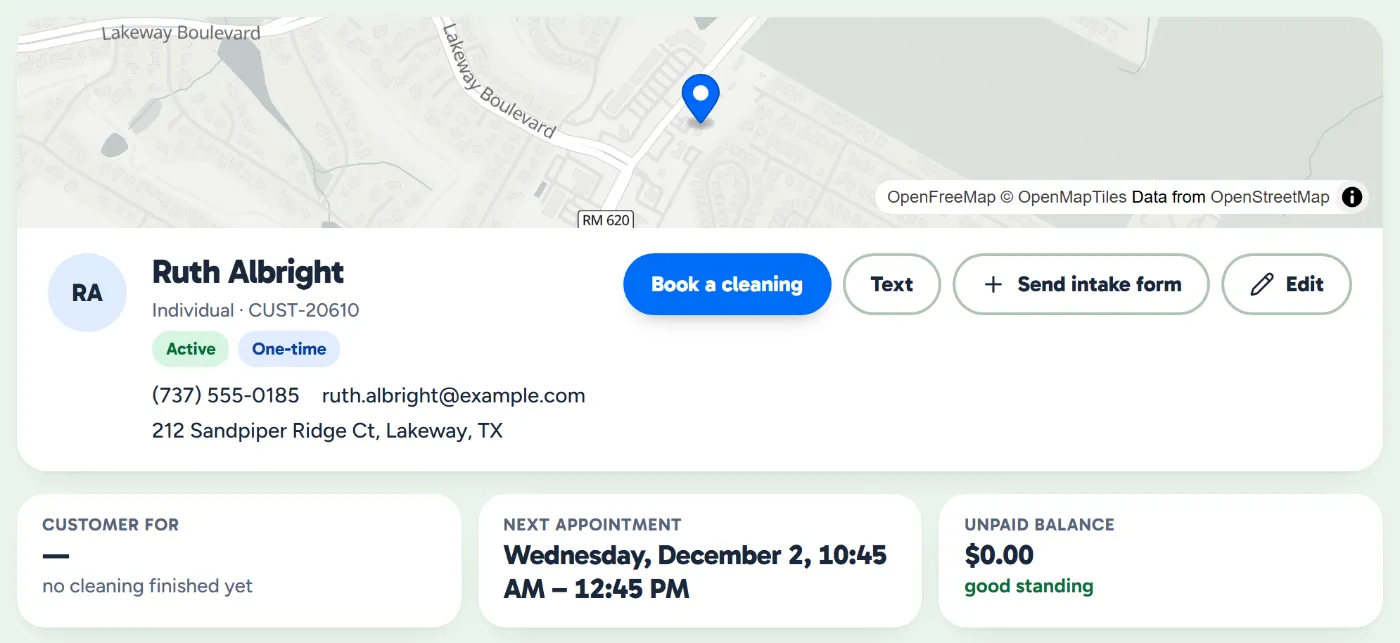
Add a customer's address the way you always have. WellKept finds it and puts the home on the map.

  • Found for you. WellKept looks each address up when you add it.
  • Nothing dropped. A cleaning whose address can't be found is listed beside the map instead.
  • On their page too. Once it's found, each customer's home sits on a small map at the top of their page.
A customer's page with her home on a map, her contact details and her next appointment
Example data

What owners ask about the map.

Do I have to put the homes on the map?

No. WellKept looks each address up when you add it. If one can't be found, its cleaning is listed beside the map instead, so nothing goes missing.

Are the drive times real?

They're estimates of the drive from one cleaning to the next, in minutes. When one says straight line or starts with a ~, it was worked out from the distance between the two homes, not the roads.

Can I see where my cleaners are right now?

No. There's no live GPS. If you turn it on in Settings, the owner app's map shows where a cleaner's phone was when they clocked in, clocked out or tapped On my way.

See your own day on the map.

Tell us where your crews clean and we'll show you how the map fits.

The owner on her porch swing with a coffee at the end of the day while her two cleaners wave from beside the van