

Who's cleaning. Where. When. All week.

Every cleaner's week on one board. Find a time that fits a new regular's whole series, move a cleaning with a drag, and the cleaner's app has the change.

A walkthrough is a call with the people who build WellKept.

The owner in her driveway holding out her phone to one of her cleaners, who stands in the van's open side door with a caddy of supplies
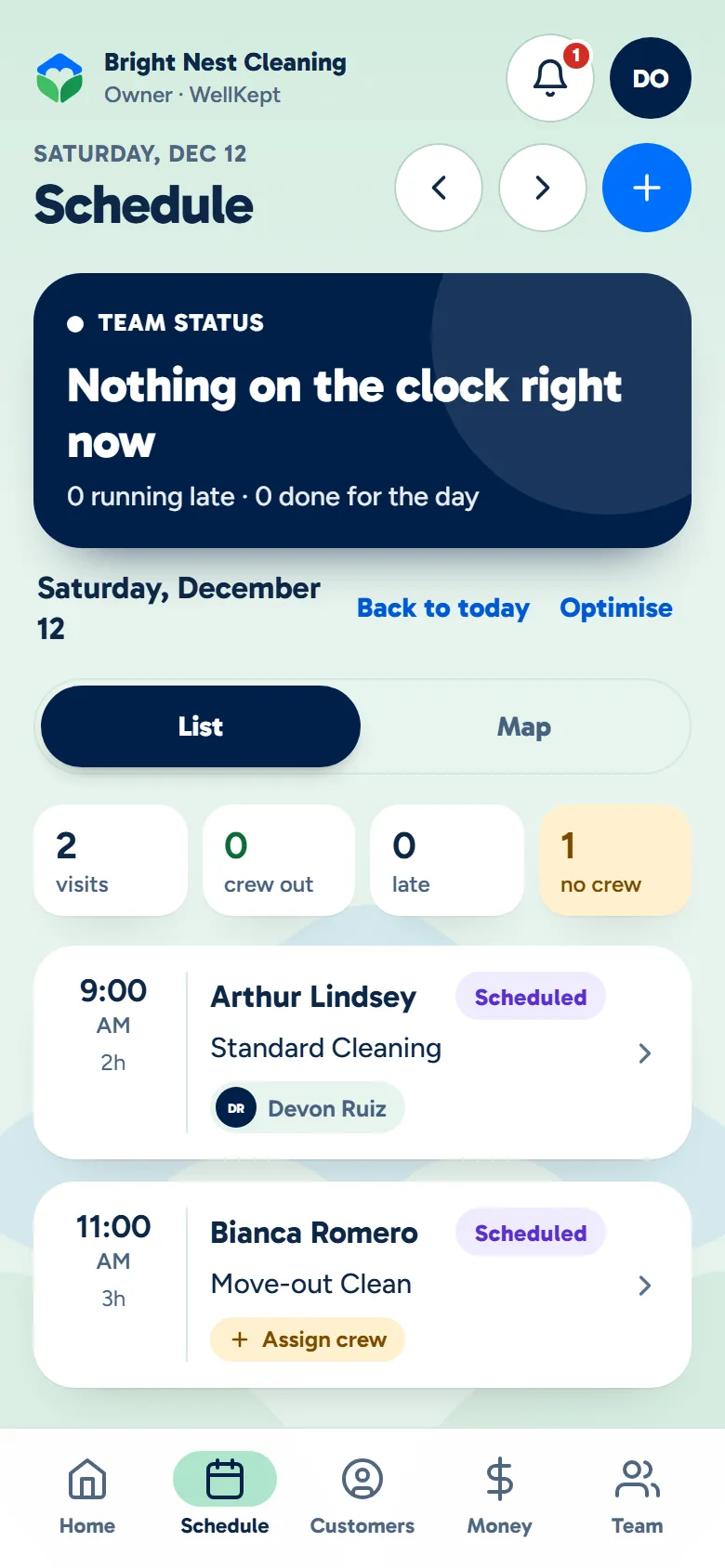
The owner app's schedule for a Saturday: each cleaning with who is on it, and one still waiting for a cleaner
Example data

Your schedule, four ways.

Plan on the board, read the week like a diary, run down the list, or see a day on a map. Tap the dots on the screens to see what each part does.

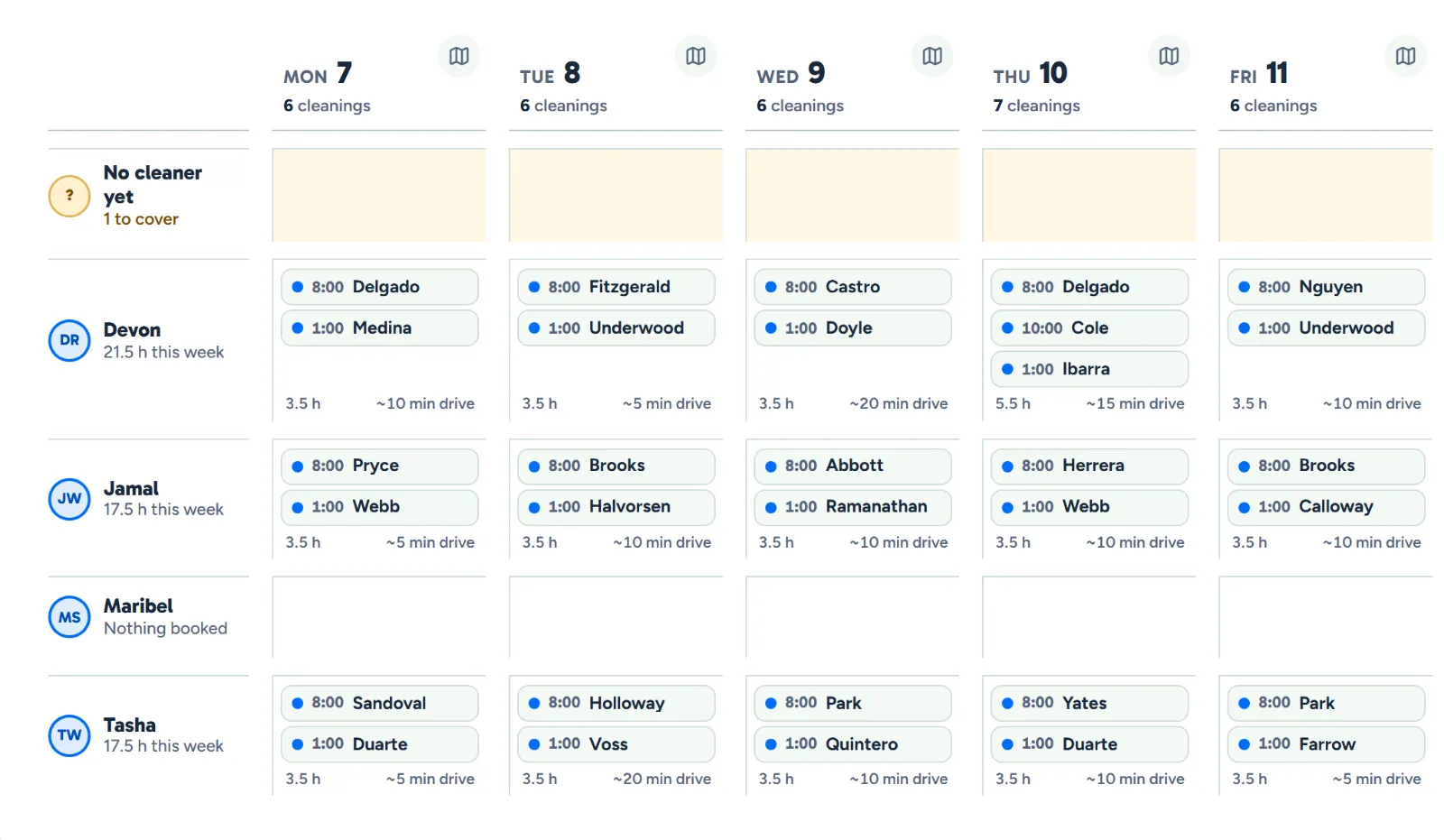
A row for each cleaner, a column for each day.

  • Still needs a cleaner. Cleanings nobody is on wait in a row of their own.
  • One click to open. Click a cleaning to see it in full and change it.
  • The drive between. You see each cleaner's drive between cleanings, marked when it's only an estimate.
  • Drag to move. Pick up a cleaning and drop it on another cleaner or another day.
The week board, Monday to Friday: a row for each cleaner and a column for each day, and a row for cleanings that have no cleaner yet
The week by cleaner. Example data.

Book a regular once. Move a cleaning in a drag.

Here is one week: a new regular gets a time, a regular's Thursday moves to Friday, and the cleaner's phone has it. The screens are the real product with example data.

The owner at her desk with the week's schedule open on her laptop
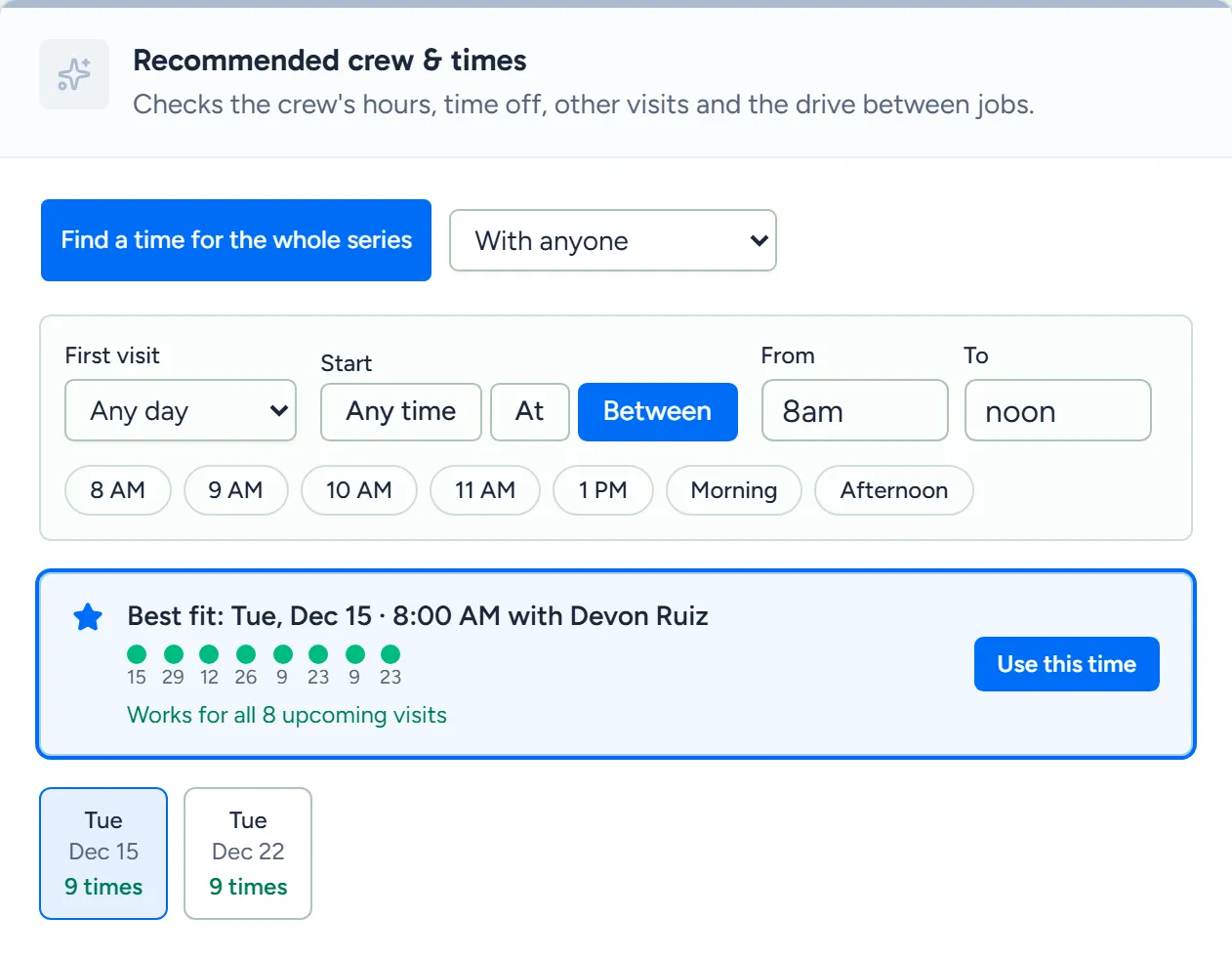
Recommended crew and times: the best start time and cleaner for a repeating cleaning, a dot for each of its next eight visits, and other days to pick from
Example data

Find a time

A new regular wants mornings, every other week. WellKept finds a start time that fits the whole series, not just the first visit.

  • The whole series, checked. It checks the next 8 visits, and you can set how many.
  • Their whole week. Each cleaner's hours, time off and other cleanings, with room to drive between homes.
  • Morning or afternoon. Pick a day and its other times are split into morning and afternoon, each with its dots.
  • The cleaner comes with it. Pick a time and that cleaner goes on every visit when you book, and any visit your settings won't let them take waits as needing a cleaner.

The owner in her sunroom on a speakerphone call with a customer, her laptop open on a small table beside a mug and a plant
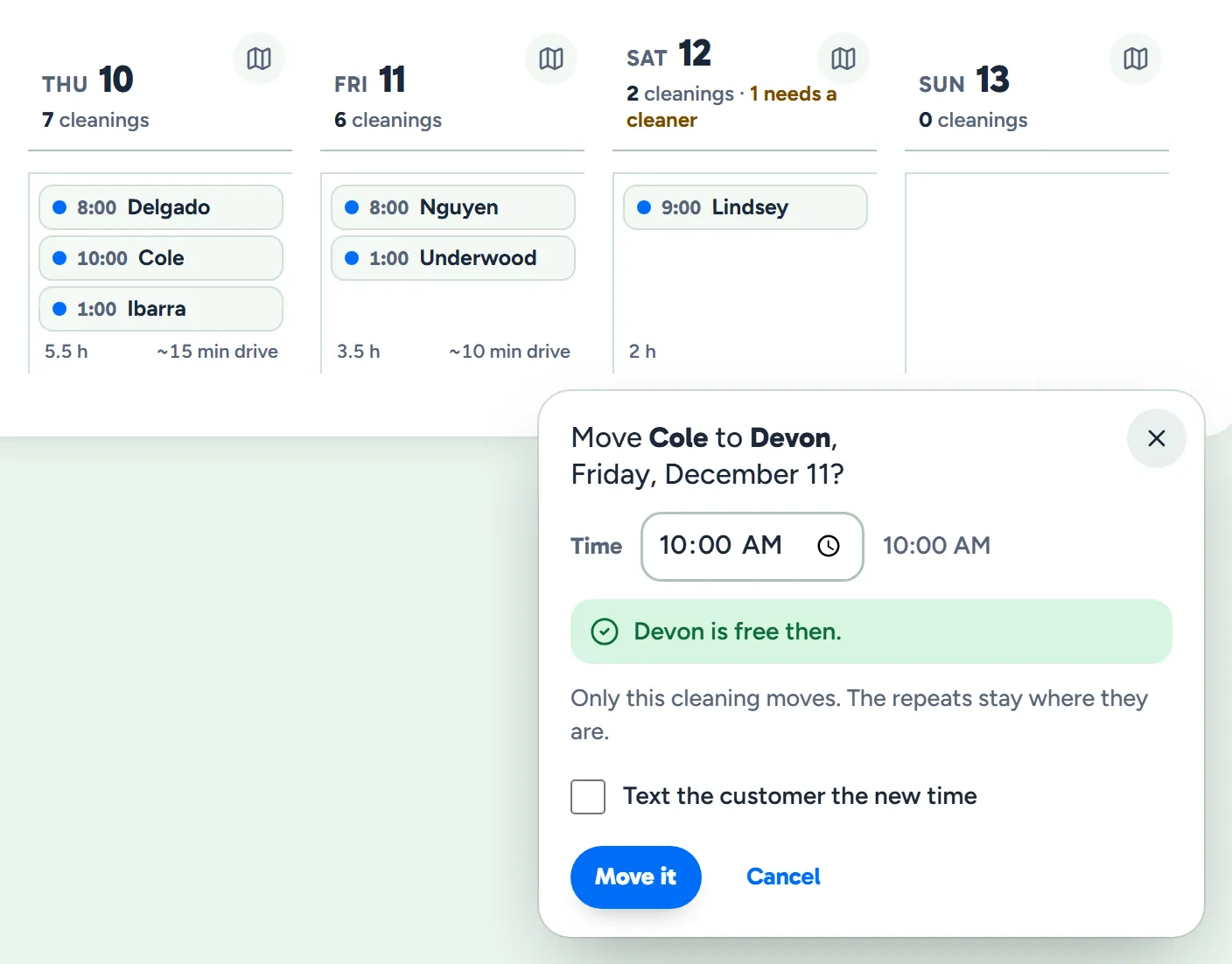
A cleaner's Thursday to Sunday on the week board, with a cleaning dragged to Friday, its new day and time, that the cleaner is free then, and that only this cleaning moves
Example data

Move it

A regular asks for Friday instead. Drag the cleaning across, and it's checked against the cleaner's week as you drop it.

  • Checked before it moves. Their hours, time off and other cleanings, with the reason when it doesn't fit.
  • Only that cleaning moves. The rest of the series stays where it was.
  • Or pick the time. Open the cleaning and use Move to choose any day and time, checked the same way.
  • From your phone too. Move a cleaning, or put someone else on it, in the owner app.
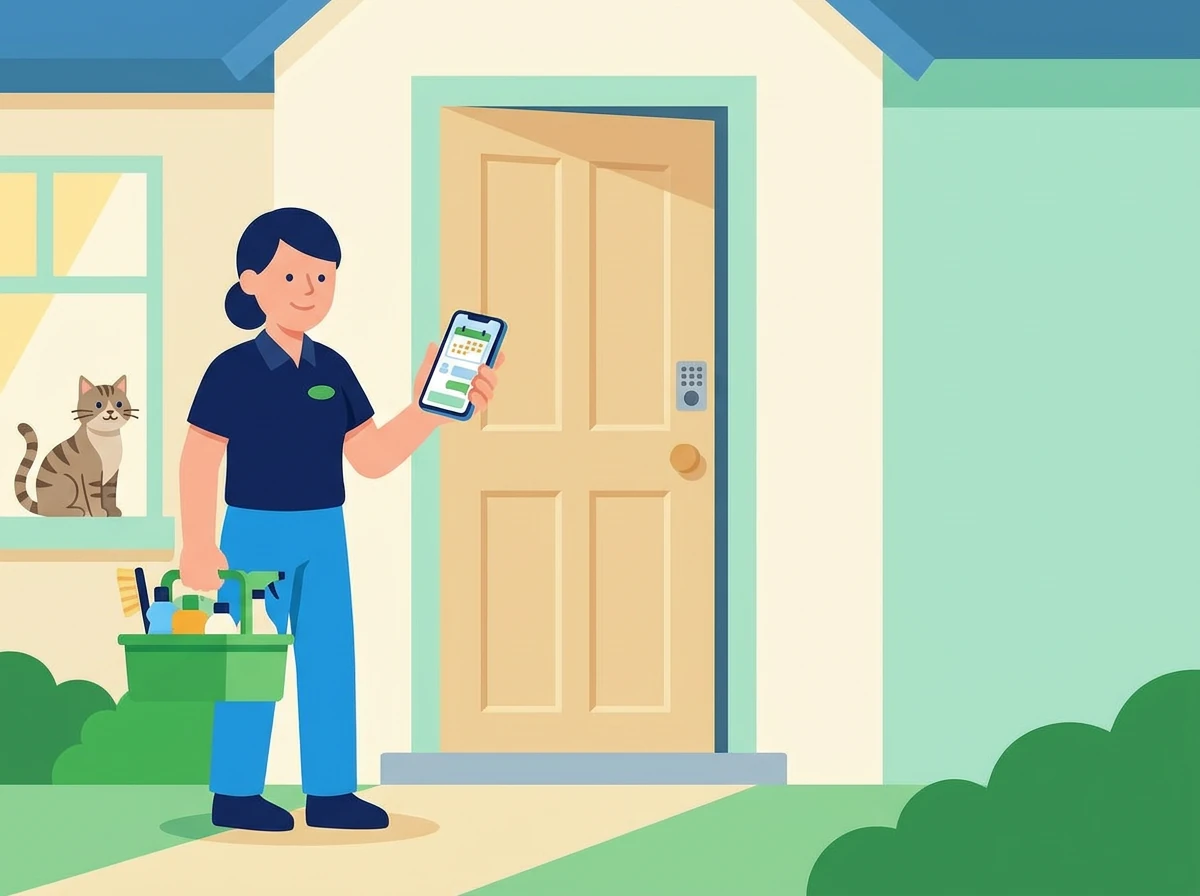
A cleaner at a customer's front door, checking her phone with her supplies in hand
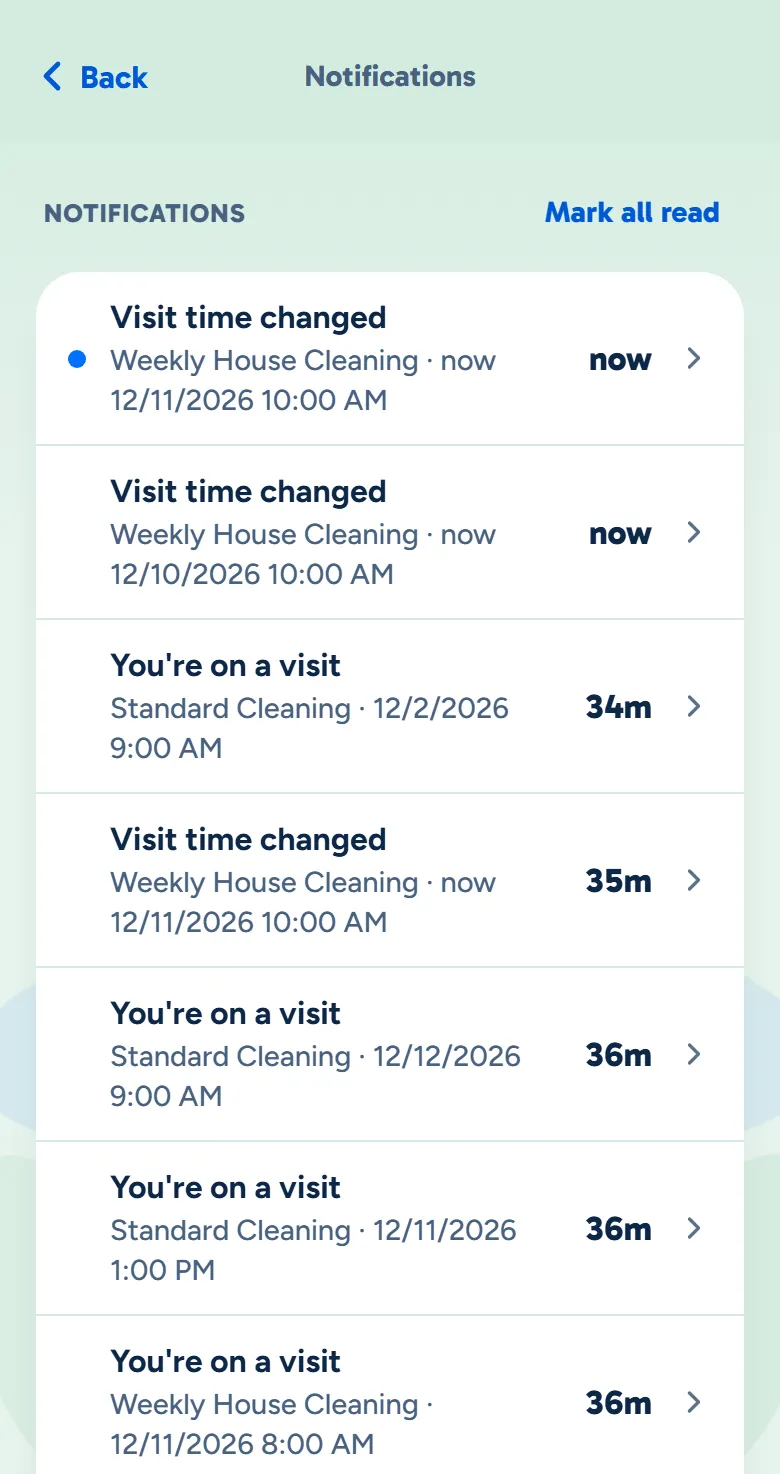
The cleaner's notifications in the crew app, with Visit time changed and the new day and time at the top
Example data

Their phone has it

The cleaner's app has the new time. Use Move, on the cleaning or in the owner app, and they can get a notification too.

  • The new day and time. "Visit time changed", with the day and time it moved to.
  • Put on or taken off. They're told about that as well.
  • Their schedule reads yours. Today and Schedule in the app read the same schedule you do, fresh each time they open it.
  • You choose what they hear. Turn each kind of notification on or off for the business, and each person can too.

What owners ask about the schedule.

Can I change one cleaning without touching the rest?

Yes. Move or skip one and the rest of the series stays as it is. To change the series itself, pick the date it changes from. Cleanings before it, and ones you moved by hand, stay put.

Does it know how long the drive takes?

It works out the drive between each cleaner's cleanings from their addresses, and marks a drive it could only estimate in a straight line. When it looks for a time, it leaves room to get there, plus a buffer you set.

What if a cleaner calls in sick?

Mark them out for the day. WellKept suggests who can take each of their cleanings and hands them over in one go, and anything nobody can take shows up as needing a cleaner.

See it with your week.

Tell us how your week runs and we'll show you how it fits on the board.

The owner on her porch swing with a coffee at the end of the day while her two cleaners wave from beside the van